Built for Microsoft 365

The complete toolkit for
Microsoft Copilot success

Three purpose-built tools — storage optimisation, security readiness, and adoption analytics. Read-only, no agents to install, results in minutes.

TSO
Storage & Copilot Readiness

Tenant Storage Optimizer

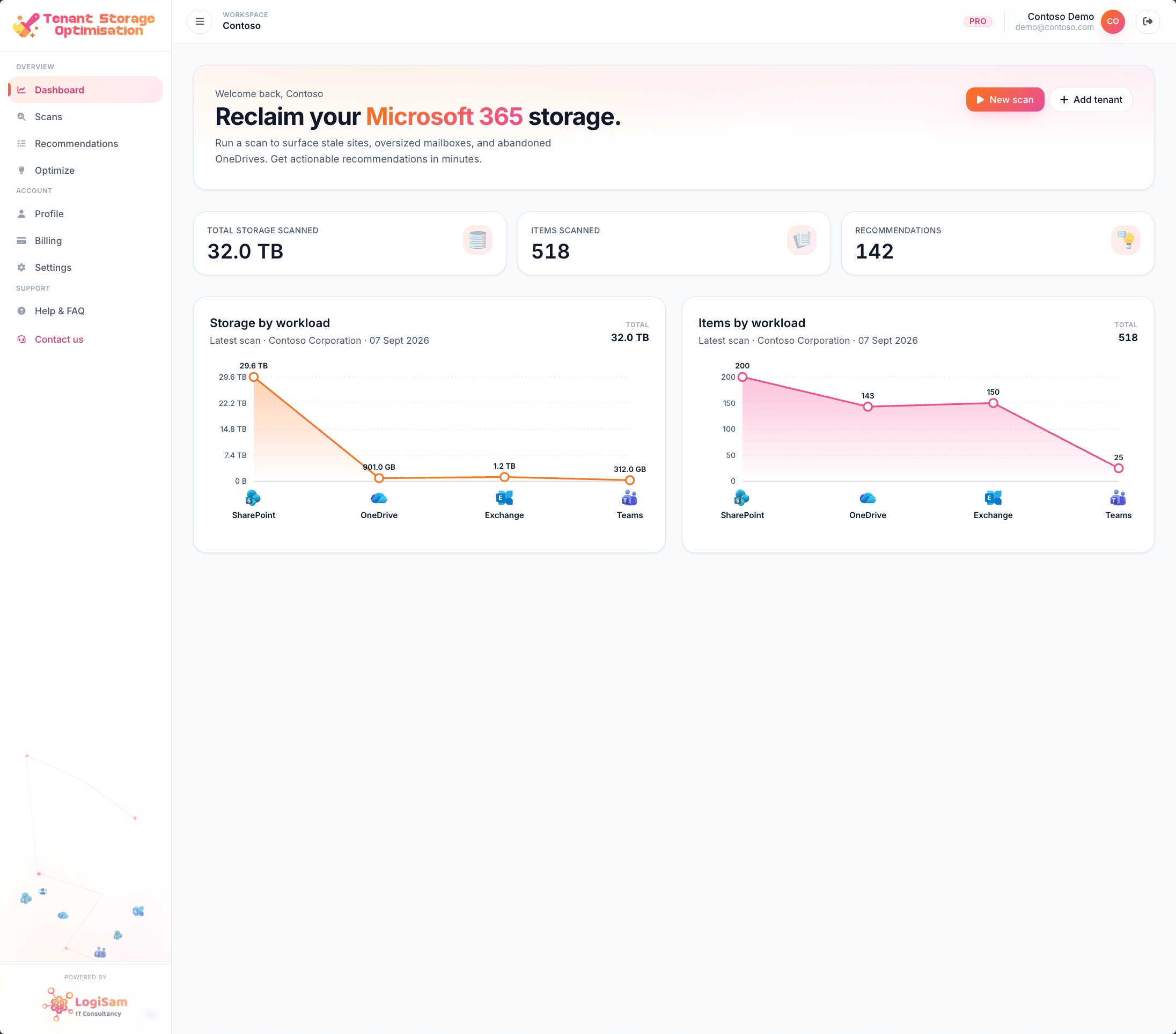
TSO scans SharePoint, OneDrive, Exchange and Teams to surface duplicates, oversized files and stale content. Read-only by design — client-ready PDF and Excel reports in hours, not weeks.

20–40%
typical waste found
$0.20
per GB extra M365
Days
not weeks
0
agents to install
  • Duplicate detection — surface identical and near-identical files across the entire tenant
  • Stale content ranking — identify old drafts and version bloat nobody opens any more
  • Orphaned OneDrive alerts — flag storage owned by ex-employees
  • Copilot hallucination fix — clean ground truth before rolling Copilot wider
  • Read-only Graph permissions — Sites.Read.All, Files.Read.All. No deletes, ever
tso.azurewebsites.net
TSO dashboard
SafeScan
Security & Compliance

Copilot SafeScan

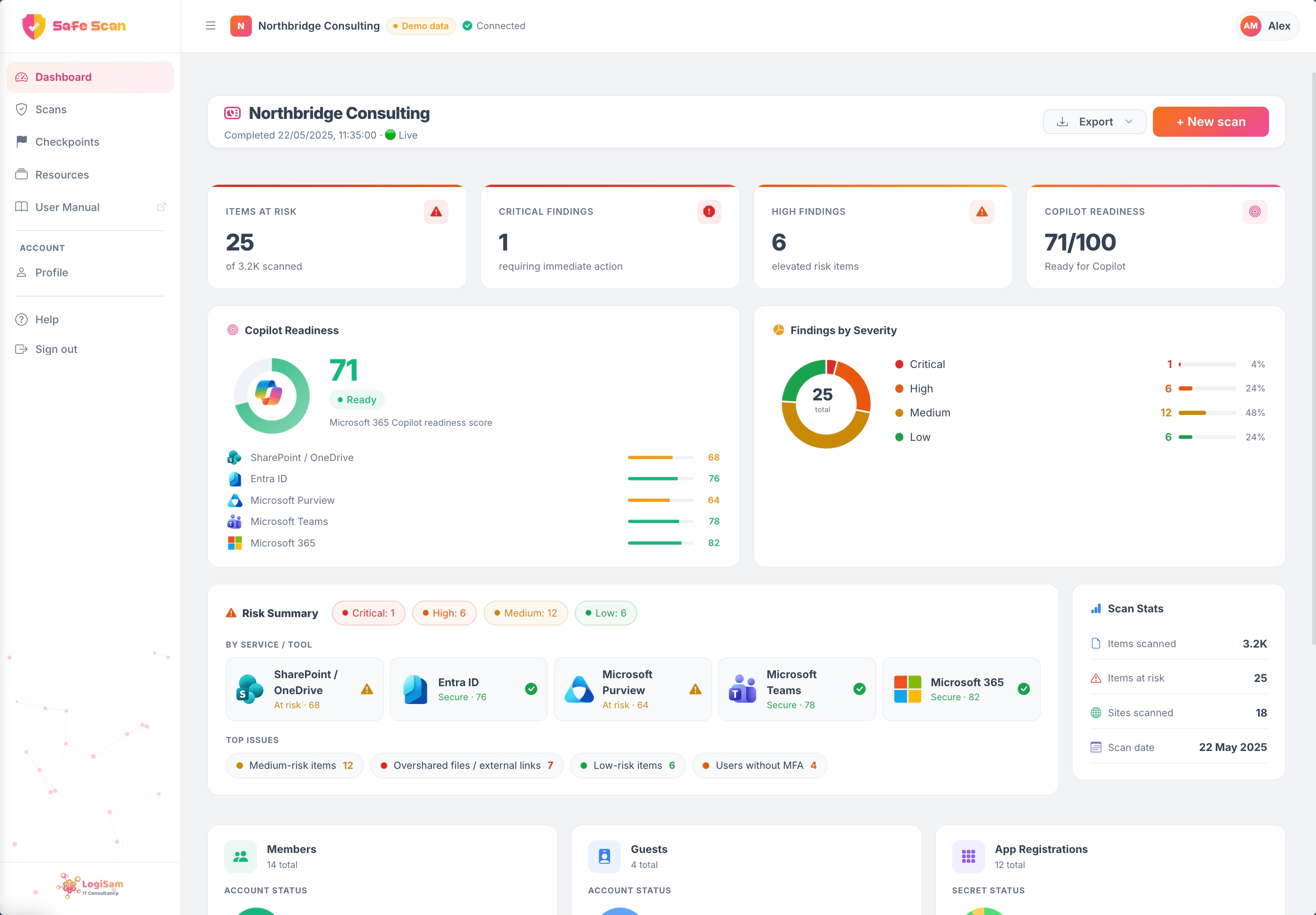
SafeScan detects SharePoint oversharing, identity gaps and compliance failures, then gives you a Copilot Readiness Score and one-click PowerShell remediation. Free to start. Results in under 5 minutes.

23
security checks
100+
risk signals
<5 min
scan time
1-click
PowerShell fix
  • Copilot Readiness Score — 0–100 score with per-domain breakdown
  • SharePoint oversharing detection — map your full permission landscape
  • Auto-generated PowerShell scripts — copy, run, resolved in under a minute
  • 6 security domains — identity, data, apps, devices, network, compliance
  • Read-only permissions — never modifies your tenant, auditable by security teams
copilot-safescan.azurewebsites.net
SafeScan dashboard
Copilot Insights
ROI & Adoption Analytics

Copilot Insights

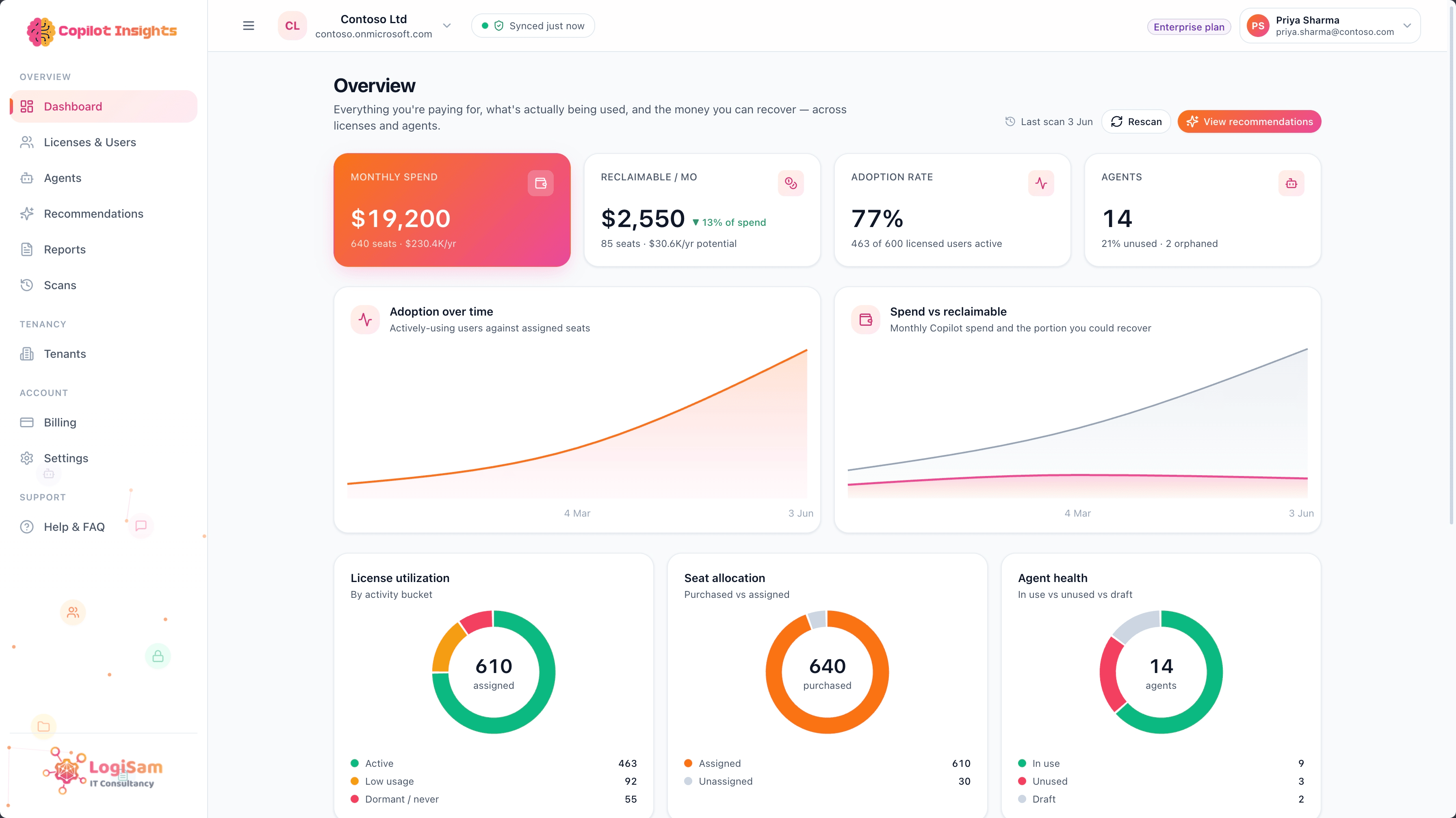
Copilot Insights shows exactly which Microsoft 365 Copilot licences are paying off, reclaims the ones that aren't, and gives you a governed inventory of every AI agent in your tenant — read-only, in minutes.

$
exact savings found
Live
agent inventory
Minutes
to results
0
agents to install
  • Licence ROI dashboard — purchased vs assigned vs actively-used seats with dollar savings
  • AI agent governance — live, read-only inventory of every Copilot Studio agent
  • Adoption heat maps — who uses Copilot, in which apps, where adoption is stalling
  • Renewal-ready reports — exec summaries and per-user data for licence renewal conversations
  • Activity metadata only — never reads prompt content, security teams sign off in a day
copilotiq.azurewebsites.net
Copilot Insights dashboard
Our commitment

Read-only. Agentless.
Results in minutes.

Every Copilot 365 tool connects via read-only Microsoft Graph permissions. No agent to install, no data to export, no professional services engagement required. Sign in with your Microsoft 365 account and see your results.

Read-only Graph permissions
No install required
Microsoft & Azure Marketplaces
UK South & EU data residency
SSO with Entra ID
Consolidated Microsoft invoice
Also in our suite
Power Insights Full Power Platform tenant inventory — apps, flows, connections, CoE visibility
View
Industry Solutions Pre-built Copilot use cases for Healthcare, Finance, Legal, Education and more
View
Copilot Training Role-based prompt skills workshops, adoption programmes and champion guides
View

Free resources

Tools to accelerate your
Copilot deployment

Use these free calculators, assessments and guides to plan, justify and execute your Microsoft 365 Copilot rollout — no sign-up required.

Start for free today

Every tool has a free tier — no card required. Run a scan, see your results, and decide. Your security team can review our read-only permissions and sign off in a day.